In this article
Below, are the components of LS Central Connect that are needed for the setting up of the CentralConnect.
Azure Application
The Azure Application defines the identity and permissions CentralConnect uses to access other Azure Resources securely. It enables OAuth 2.0 authentication and token-based authorization for calling APIs, Functions, and Service Bus endpoints and finally HO systems without embedding credentials in code.
Setup steps:
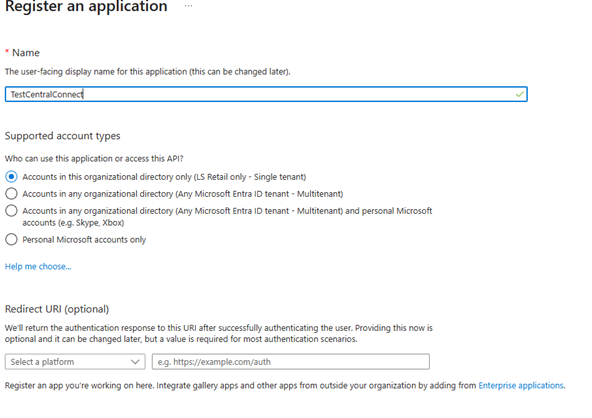
- Once the application is added, you are taken to the overview page.
- Copy the Client ID and the Tenant ID, from the overview page of the newly created Azure application.
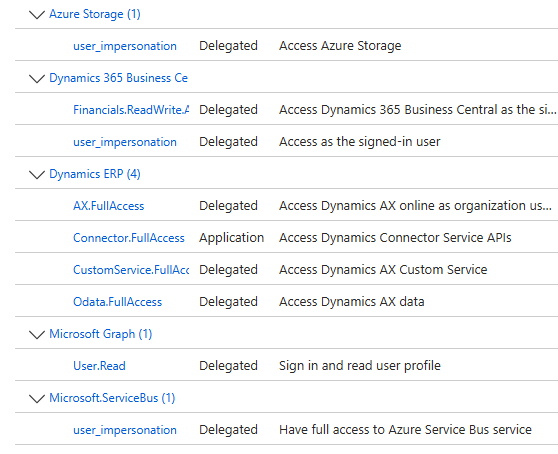
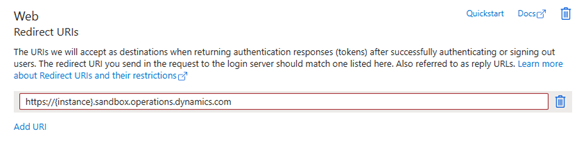
- In the authentication section, set up Redirect URIs, depending on which URI is used for the HO System, the URI that is used in this slide is against F&O sandbox environment.
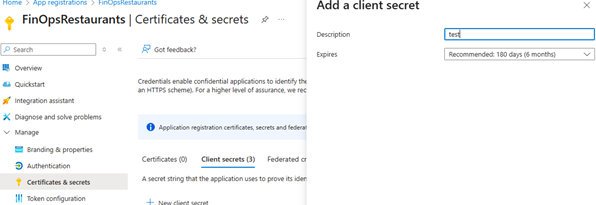
- Create Certificates and secrets, set the description and expiry date of the secrets.
- Once created, store Value and Secret ID in a secure place, since that is used assigned in the Azure Key Vault later.
Azure Storage
Creating a storage account at portal.azure.com.
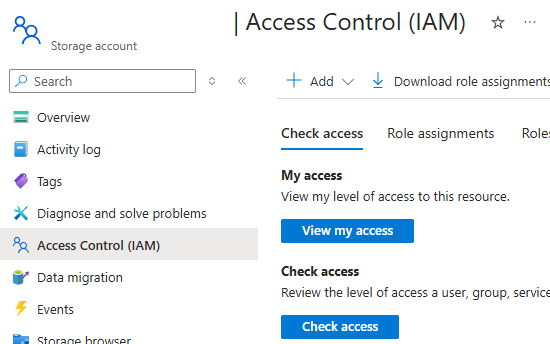
- Once a storage account is created, you need to assign Access to the users that need access. In Access Control (IAM), administrator needs to add necessary role assignments. The Storage Blob Data Contributor access is needed for the user that is being assigned to the functionality. That allows the user to create new data packages, edit, and delete them.
- In Data Storage > Containers you need to create a data container for the data, one for Master data, one for external data export (If being used) and one for the sales transfer. Once created the container to set the Anonymous access level to Private. If selecting Container, then it is less secure.
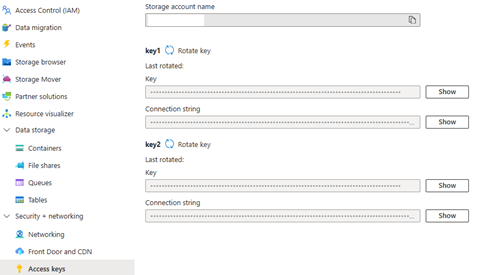
- Finally, you need to set up the Access keys that are used by Azure Key Vault later.
Azure Message Queue
Message queues are used to store information about new data packages that are waiting to be imported into LS Central.
- Go into Access control (IAM) and assign Azure Service Bus Data contributor, to allow creation/edit/delete of messages.
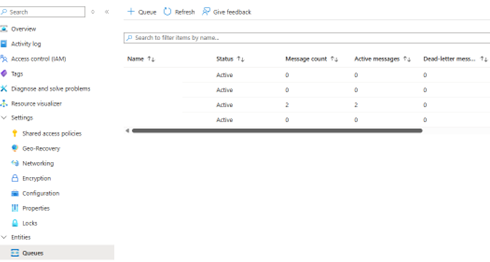
- Create the queue you need one queue for the Central connect; the Message queue URL needs to be used in the CentralConnect Configuration page.
Azure Key Vault
In the Key Vault we keep all the secrets that are needed either for the Azure function or AL code.
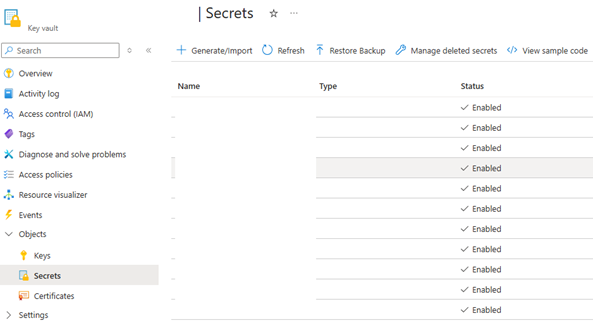
An example of information that is stored:
- ClientSecret, ServiceBusConnectionString, storageConnection string and other secrets, depending on how much you want to keep in the key Vault.
- This can be adjusted according to your needs.